


Midco Sports Plus
2.637.00 Reviews
App Specs
- Version
- 2.0.1
- Updated On
- License
- Free
- Downloads
- 50,000+
- Developer
- Midco
- Categories
- Sports
- Platform
- Android
Screenshots
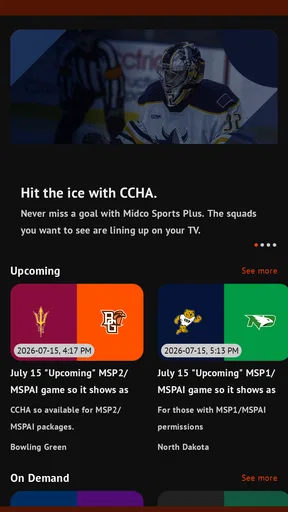
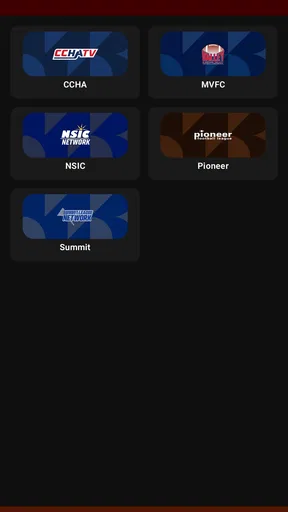
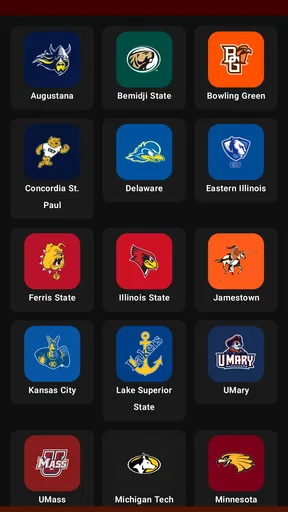
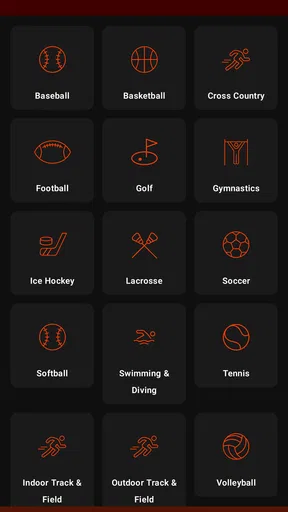
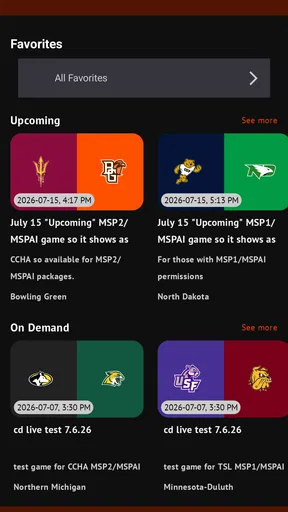
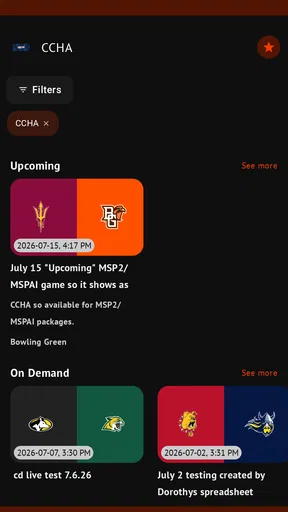
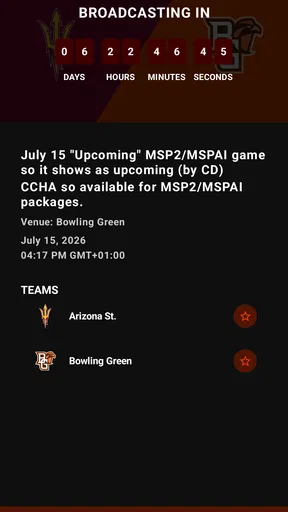
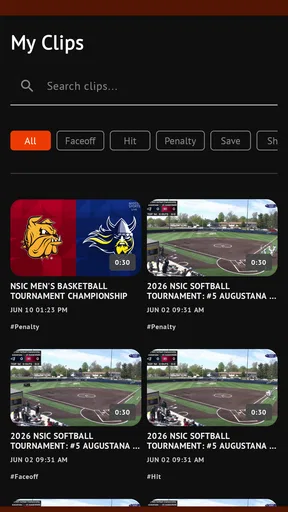
 Analysis by AppCompare
Before choosing a regional sports app, I think it helps to separate what it promises from what a viewer can actually rely on. Midco Sports Plus is a free sports app from Midco, built around access to regional teams and conferences. That focus can be valuable when a game is hard to find among national sports services, but it also makes the app’s usefulness depend heavily on whether its coverage matches the teams you follow.
I would approach it as a specialist option, not a replacement for every way of watching sports. A broad sports network or a league’s own service may suit someone who follows teams across the country; this app is more relevant when the local or conference connection is the reason you want to watch. The average rating is 2.4 from around 70 ratings, so I would set expectations carefully and check whether its particular coverage fits my routine before making it my main viewing plan.
What I would check before relying on it
The practical question is not simply whether an app carries live games, but whether it has the events that matter to you when you want to watch. I’d first look for the teams and conferences I follow, then consider how often their games appear. A regional service can be a much better match than a general sports app for a nearby college matchup, yet a poor fit if most of your viewing is national leagues or teams outside its regional scope.
That distinction matters for everyday planning. If I wanted to watch a particular game with friends, I would not assume the app covers it just because it is sports-focused. I would check the event listing ahead of time and keep a familiar alternative in mind. That small step is more useful than installing it on the day of a big game and discovering that my preferred matchup is not part of the available selection.
Privacy and control are part of the viewing decision
I also think about trust in practical terms: what choices are visible while setting up and using an app, and whether I can understand what I am agreeing to. I would review the permissions Android presents during installation and grant only those that make sense for the way I intend to use the app. A video-streaming app should not get a blanket pass simply because I want to watch a game.
For account and viewing decisions, I would take the same measured approach: read the prompts on screen, look at the options before confirming a purchase, and avoid treating a convenient button as a substitute for understanding its terms. The app is free to download, while in-app purchases are listed at prices ranging from $9.99 to $199.99 per item. That wide spread makes it especially sensible to pause at any purchase screen and confirm exactly what the selected item provides before proceeding.
Where it fits among sports apps
Compared with a general sports-news app, Midco Sports Plus is aimed at watching regional sports rather than simply following scores and headlines. Compared with a broad streaming bundle, its appeal is narrower: it makes most sense when your interest is tied to the teams and conferences it serves. If you mainly want quick updates, a score-focused app may be a lighter and more direct choice. If you want a wide range of national events, a larger sports package may be more suitable.
Worth Reading Before You Choose

Flipboard Shows What News Apps Must Do Beyond the Feed

Switching to Android Auto Means Rethinking Your Driving Routine

Google Calendar Makes a Crowded Week Easier to Manage

Ludo King Makes the Most of the Minutes Between Plans

Baby Panda World Brings Quick Play to Modern Phones, but Its Game Library Feels Busy

ESPN’s Live Game View Makes Following Close Games Easier
For a viewer who does care about regional coverage, the trade-off is concentration. You can keep a specialist service in your rotation for the games that matter locally without expecting it to cover every sport or event you follow. I would think of it as a possible part of a viewing setup, rather than assume it needs to replace other services.
A useful routine for game day
Imagine I have a busy afternoon and want to catch a nearby team’s game after finishing errands. I would check the schedule before leaving, confirm that the event is available, and make sure I know whether I need to sign in or make a purchase to watch it. Once home, I would open the app early enough to deal with any setup friction before the game begins, rather than waiting until the opening moments.
That routine also helps answer a common practical concern: should I count on the app when timing matters? I would use it as my main option only after confirming that the teams I follow appear there and that the setup works on my device. For an occasional matchup, keeping another way to follow the game nearby—such as a radio broadcast or a score service—can make the experience less stressful if streaming is not convenient.
If I watch mostly on a phone, I would also consider the viewing context before choosing a stream. A live game is more demanding of attention and connectivity than checking a score, so I would avoid assuming that mobile viewing will feel as comfortable as watching on a larger screen. When I know I will be away from home, I would plan around the connection available to me and not treat an untested setup as guaranteed.
Who should give it a closer look
This app is most compelling for people who follow regional teams or conferences and want a dedicated place to look for their games. It may also suit a household where one person’s local sports interest is not well served by the family’s usual entertainment apps. The Everyone age rating makes its listed audience broad, although parents should still make their own choices about what children watch and whether any paid options are appropriate.
I would be less likely to recommend it to someone who wants a single app for every major sport, depends on a specific national team, or prefers highlights and scores over live video. The same goes for anyone uncomfortable checking purchase terms or evaluating app permissions: a free download does not make every later choice automatically suitable. In those cases, a familiar score app or a broader sports service may be a better match.
What Makes Midco Sports Plus Stand Out?
First off, let’s talk about what makes Midco Sports Plus so special. It’s essentially a streaming service dedicated to providing live and on-demand coverage of local sports in the Midwest. Whether you’re into college basketball, high school football, or any local sporting events, this app has got you covered.
The app is available on both Android and iOS, which means you can catch the action on your phone or tablet no matter where you are. The interface is pretty sleek, and it’s user-friendly, which is always a plus in my book. I didn’t have to fumble around to figure out where things were, and that’s saying something!
Live Streaming and More
One of the coolest features of Midco Sports Plus is the live streaming capability. The streams are in high definition, and I barely experienced any buffering issues, which is a big win. There’s nothing worse than a laggy stream when your team is about to score!
Apart from live games, the app also offers on-demand content. Missed last night’s game? No worries! You can catch up whenever you have the time. The on-demand library is pretty extensive, so you’re bound to find something to watch.
Exclusive Content and Replays
Midco Sports Plus doesn’t just offer live games; it also provides exclusive content like interviews, highlights, and special shows. This adds a nice touch and gives you insights you wouldn’t get anywhere else. I personally enjoyed the behind-the-scenes interviews with coaches and players.
Replays are another feature that I love. Sometimes you just want to relive those epic moments, and with this app, you can. The replay quality is fantastic, making it feel like you’re right there in the stadium again.
Usability and Interface
As I mentioned earlier, the user interface is intuitive. Navigation is straightforward, and everything is pretty much where you’d expect it to be. The search function is efficient, and I didn’t have any trouble finding specific games or shows.
Another aspect worth mentioning is the app’s performance. It’s fast and responsive, even on older devices, which is a testament to its solid development. I didn’t face any crashes or freezes, which is a huge relief for any app user.
Subscription and Accessibility
Now, let’s talk about the subscription. The pricing is competitive, and considering the amount of content you’re getting, it’s totally worth it in my opinion. There’s also a free trial available, so you can test the waters before diving in.
The app is accessible from multiple devices, so whether you’re using your phone, tablet, or even casting to your TV, you’re covered. I found this flexibility super convenient, especially when I wanted to watch games on a bigger screen.
Final Thoughts
In conclusion, Midco Sports Plus is a must-have for any sports fan in the Midwest. It brings local sports directly to your fingertips with ease and quality. The blend of live streaming, on-demand content, and exclusive features makes it a standout choice in the sports streaming arena.
If you’re tired of missing out on local games or just want an easier way to keep up with your favorite teams, give Midco Sports Plus a shot. You might just find it’s exactly what you’ve been looking for.
My cautious recommendation
There are a few practical details I would keep in mind before installing. The app was released on November 17, 2020, and its current version is 1.99.4; Android support starts at version 5.0. It has more than 10,000 installs, and its 35 written reviews offer another place to look for recurring user concerns. I would treat those figures as context, not proof that the app will work equally well on every device or suit every viewer.
Midco Sports Plus is free to download, but that does not mean every viewing choice is free. Because individual in-app purchases can vary considerably in price, I would read each screen carefully and check the amount and terms before confirming. If I only want to browse or watch occasional coverage, I would avoid making a purchase until I know what access it actually provides and whether that matches my needs.
My overall advice is to approach it as a targeted regional sports option. If its teams and conferences line up with the games you care about, it may fill a real gap that general sports apps leave open. If you need broad coverage or an effortless all-in-one subscription, I would compare alternatives first and keep expectations grounded by the modest user rating. For the right local fan, it is worth exploring; for everyone else, it may be more specialized than necessary.
Pros
- User-friendly interface enhances navigation.
- High-quality streaming with minimal buffering.
- Wide range of regional sports coverage.
- Available on multiple devices for flexibility.
- Affordable subscription options.
Cons
- Limited international sports content.
- No offline viewing feature available.
- Occasional streaming delays during peak times.
- Requires stable internet connection.
- Limited free trial period.
FAQs for Midco Sports Plus
What is Midco Sports Plus and what content does it offer?
Midco Sports Plus is a streaming service that provides live and on-demand access to a variety of sports events. Users can watch local and regional games, including high school sports, college athletics, and professional events. The app is designed to cater to sports fans looking for comprehensive coverage of their favorite teams and leagues.
How can I subscribe to Midco Sports Plus and what is the cost?
Subscribing to Midco Sports Plus is straightforward. You can sign up directly through their website or app, with various subscription plans available. Pricing may vary based on promotions or geographic location, so it’s best to check their official site for the most current rates. Typically, there are monthly and annual subscription options.
Is Midco Sports Plus available on multiple devices?
Yes, Midco Sports Plus is accessible on a variety of devices. You can stream content on smartphones, tablets, smart TVs, and computers. The app is compatible with both Android and iOS platforms, ensuring that users can enjoy their favorite sports content anytime, anywhere, as long as they have an internet connection.
Are there any free trial options available for new users?
Midco Sports Plus often offers free trial periods for new subscribers, allowing them to explore the service before committing to a paid plan. The duration and availability of these trials can change, so it's advisable to check their website or app for the latest information on any promotional offers.
What are the internet requirements for optimal streaming on Midco Sports Plus?
To ensure smooth streaming on Midco Sports Plus, a stable internet connection is recommended. Ideally, users should have at least a 5 Mbps connection for standard definition and 10 Mbps or higher for high-definition streaming. A faster connection will help prevent buffering and provide a better viewing experience, especially during live events.


